
MP3DirectCut
2.25
Size: 0 Bytes
Downloads: 138567
Platform: Windows (All Versions)

There are times when you need to cut a large MP3 file into smaller pieces. The reasons for this are numerous. For example, you have recorded a radio show and you want to remove the commercials or you have downloaded a large audio book from the web and you would like to separate it into smaller stories. For all these tasks, there is a solution and that's the MP3DirectCut application.
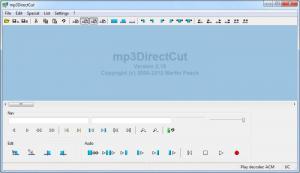
This simple Windows application allows you to cut any MP3 file, no matter how large, into several small parts. The installation procedure is very simple to complete, using just a couple of clicks. After loading the application, the first thing to do is to load the desired MP3 file into the program's interface. One can also import other audio formats, like MP2, AAC and so on.
After having imported the desired audio file, the user can split it in two ways, either by taking advantage of the automatic function included in the program, which can detect silences in the audio file and can split it accordingly, or manually, by selecting the start and end position. What's more, audio files can be split using the information for a CUE file, in case the user has one.
For making it easier to split an audio file manually, the program will display it as a waveform. Besides splitting audio files, MP3DirectCut can also edit the ID3 tag information for every imported MP3 song. The program is compatible with both versions of the ID3 tag. What's more, an audio file can be normalized automatically using the special function for this purpose. In case the user has several audio files, he can edit and adjust all of them using the batch feature.
Pros
It allows you to split any MP3 song into several small pieces using two methods. Besides that, the program supports CUE files. Furthermore, audio files can be normalized and can have their ID3 tag information customized.

Cons
The number of audio formats supported is a bit limited. MP3DirectCut allows you to split any MP3 song into several parts, in the easiest way possible.

MP3DirectCut
2.25
Download
MP3DirectCut Awards

MP3DirectCut Editor’s Review Rating
MP3DirectCut has been reviewed by Jerome Johnston on 19 Jul 2012. Based on the user interface, features and complexity, Findmysoft has rated MP3DirectCut 4 out of 5 stars, naming it Excellent







